Project / Rust · Tauri · Code editors · Developer tools
JCode
A cross-platform code editor and runner built around quick, unsaved scratchpads.
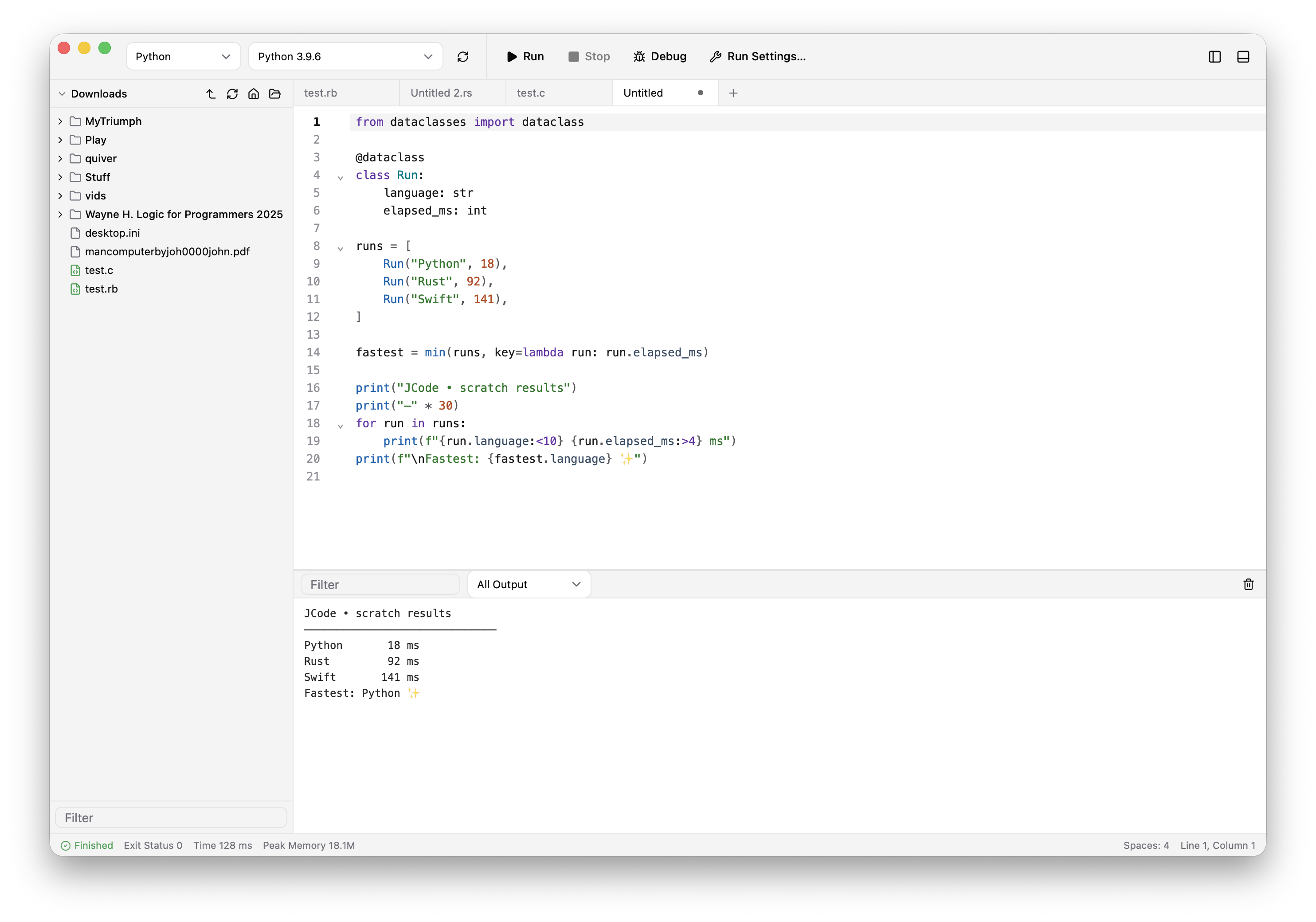
CodeRunner is one of my favourite macOS apps: open a buffer, write a few lines, and press Run. JCode is my take on that idea, with a bit more Jason-ness and a plan to bring the same scratchpad workflow to macOS, Windows, and Linux.
Why I made it
Most code editors assume I am about to start or open a project. Often I am not. I just want to test a regular expression, inspect a small response, try an unfamiliar API, or find out whether an idea works.
For that kind of job I like having a blank editor that is ready immediately. There is no file to name, project to create, or terminal to arrange. Pick a language, write the smallest useful thing, and run it.
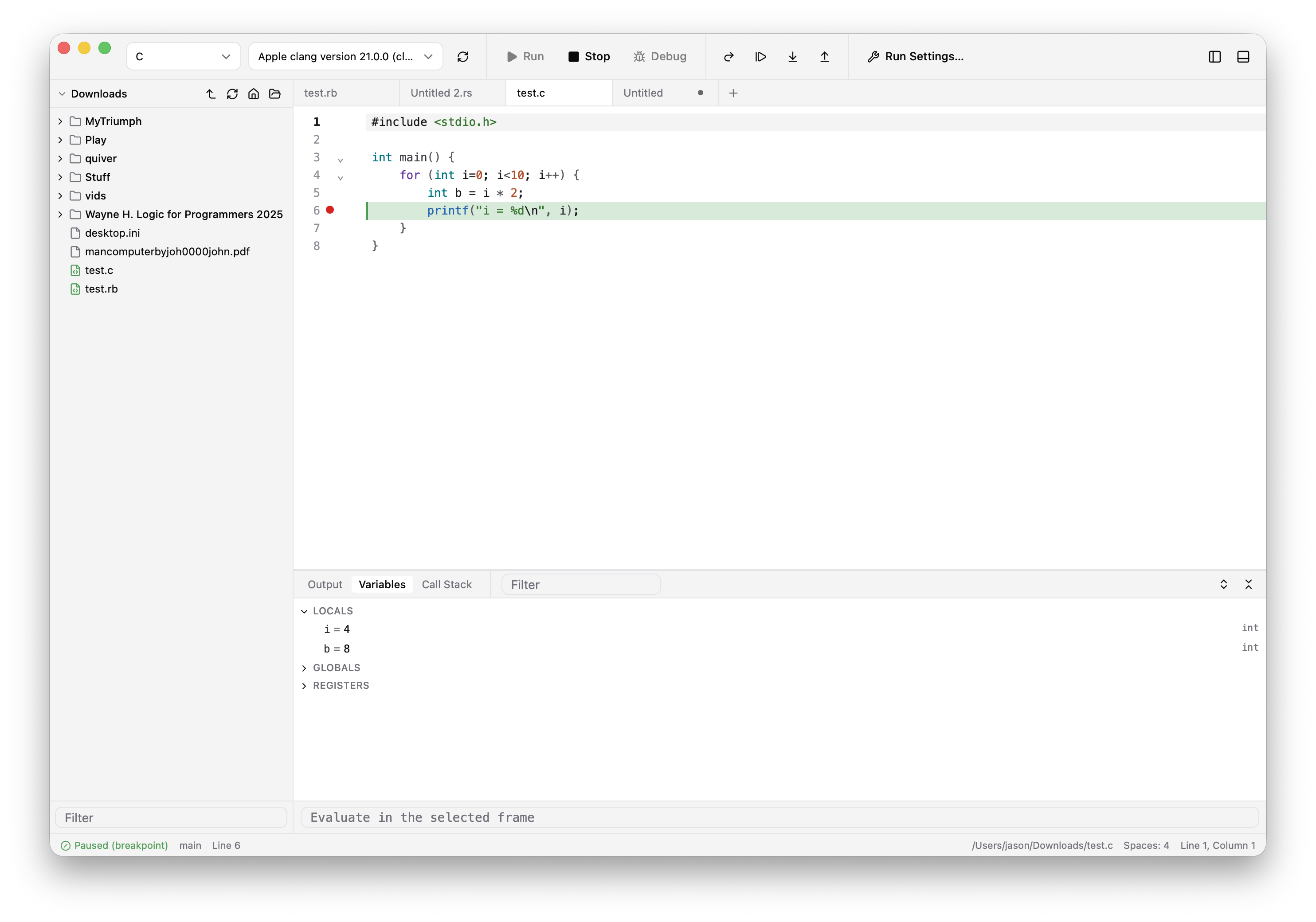
JCode keeps that simple loop, then adds the things I missed when the experiment grew a little: better output, toolchain discovery, optional language-server help, and a debugger.
What is in there
- Scratchpads first. Unsaved tabs run like ordinary files and survive a relaunch, so saving can wait until an experiment becomes worth keeping.
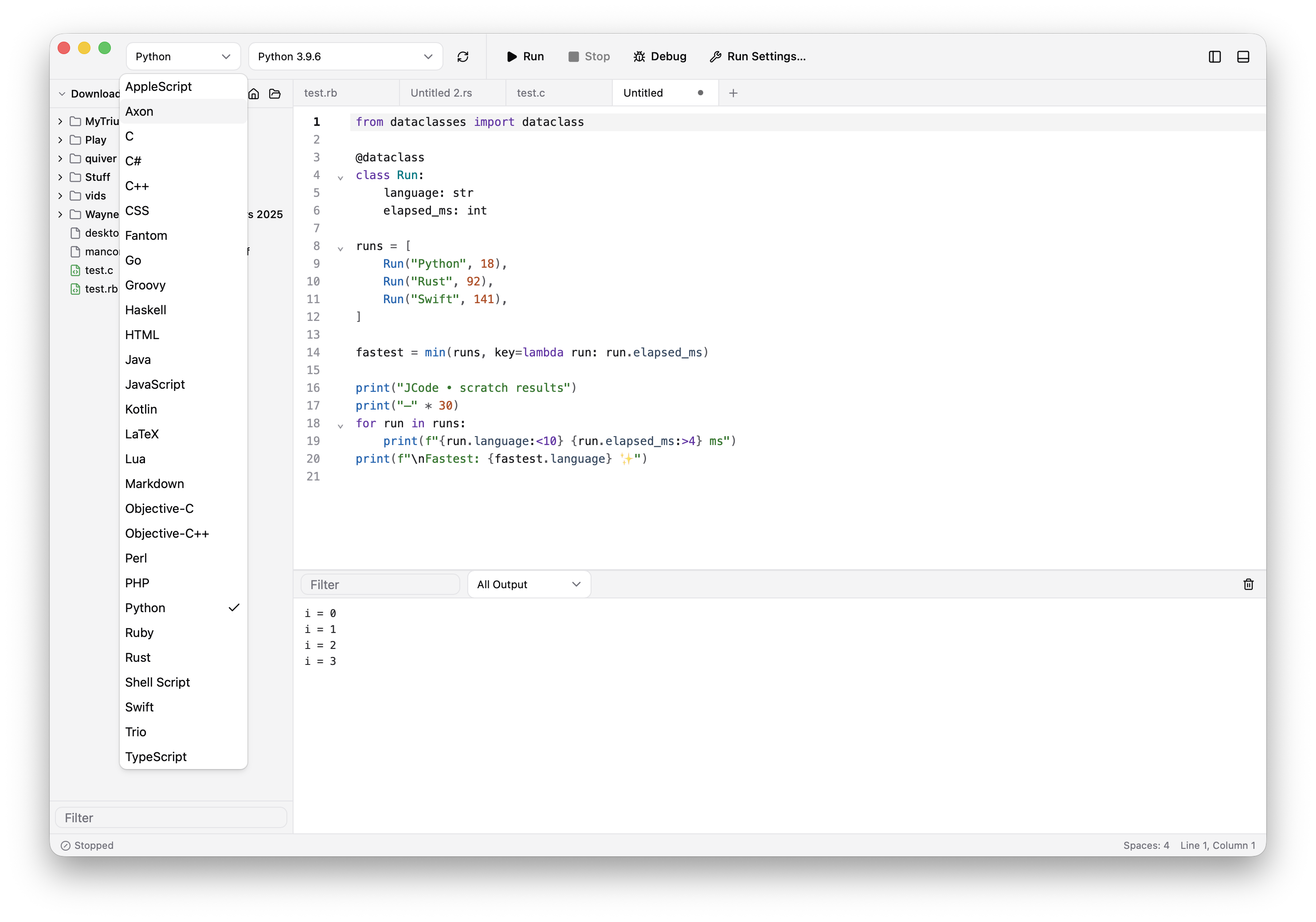
- Twenty-eight language modes. Twenty-six can run or render; CSS and Trio provide editing and highlighting without pretending there is something to execute. What is available on a particular machine depends on its installed toolchains.
- Useful output. Build output, standard output, and errors remain distinct. Runs show their exit status, duration, and peak memory, and interactive programs can read from stdin.
- Toolchains without guesswork. JCode finds installed compilers and interpreters, reports their versions, and makes missing dependencies visible.
- Editor essentials. CodeMirror 6 provides highlighting, folding, search, multiple selections, and the usual editing conveniences. LSP support can add diagnostics, completion, and hover information.
- Previews where they help. HTML renders beside the editor, Markdown becomes a preview, and LaTeX can compile to PDF.
Cross-platform direction
The current screenshots are from macOS, where development started, but JCode is not intended to be a macOS-only application. The interface is built with Svelte 5 and CodeMirror 6, with Rust and Tauri 2 underneath, and the plan is to support macOS, Windows, and Linux.
Some runners will naturally remain platform-specific—AppleScript is not going to become a Windows language—but the scratchpad, editor, output, and debugging experience should feel like the same application everywhere.
A few practical notes
JCode is a personal project and still in development. It does not try to replace a full IDE, manage a project tree, or provide an embedded terminal. The point is to make the space between a question and a small piece of running code pleasantly short.
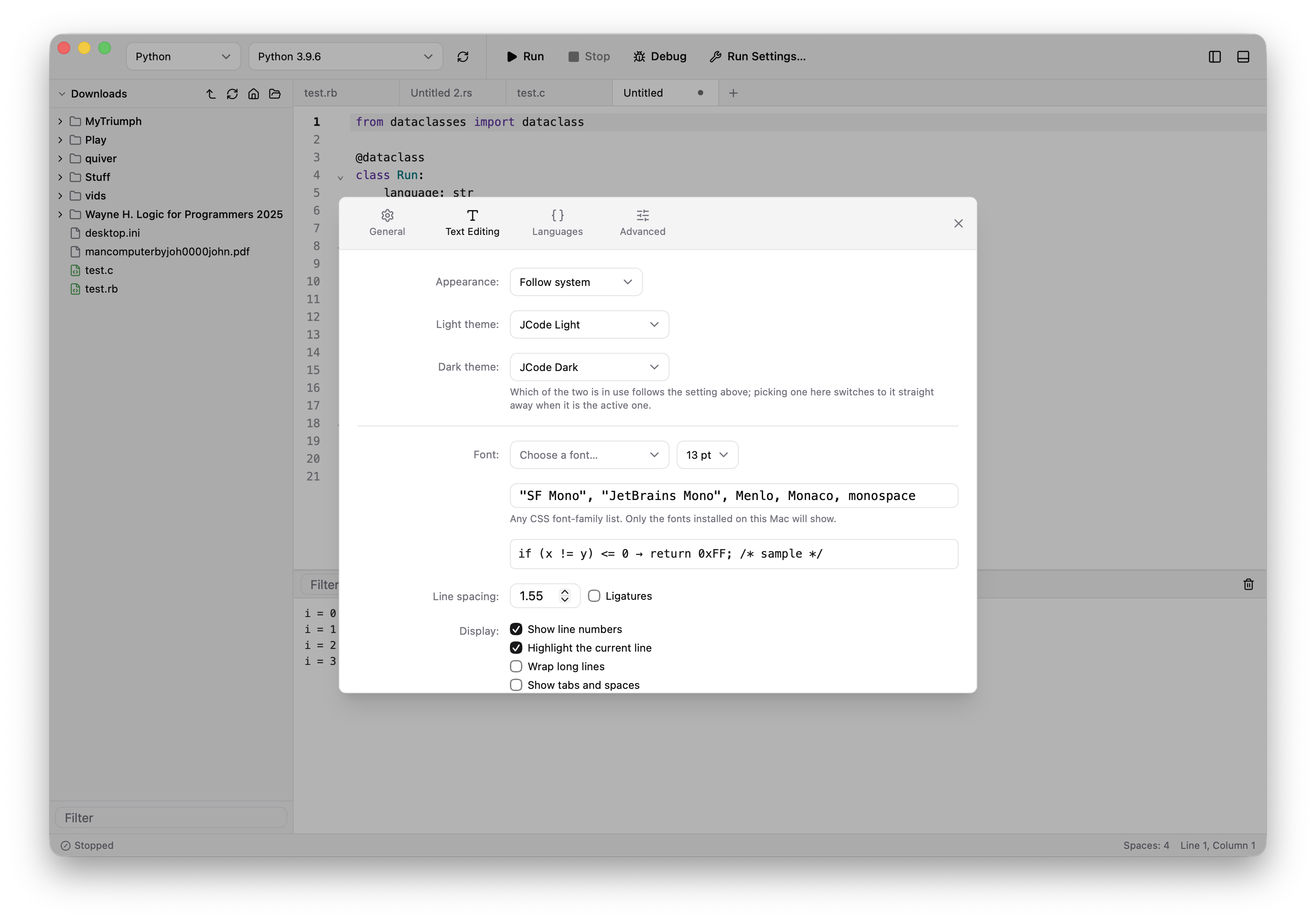
Scratchpads are restored when the app reopens, and each language can have its own run command, environment, indentation, language server, and debug adapter.
Want to try it?
It is not yet available for public consumption, but watch this space.